Try the clipboard history built into macOS
On macOS Tahoe 26, open Spotlight with ⌘ Space, then its clipboard category with ⌘4. Allow clipboard search if prompted. Find the item, select it and press ⌘C, then use ⌘V in the destination app.
The built-in feature may be enough for finding a recent copy. You do not need to install Dashi to use it. Apple’s guide, linked below, documents the system workflow.
When a dedicated clipboard window helps
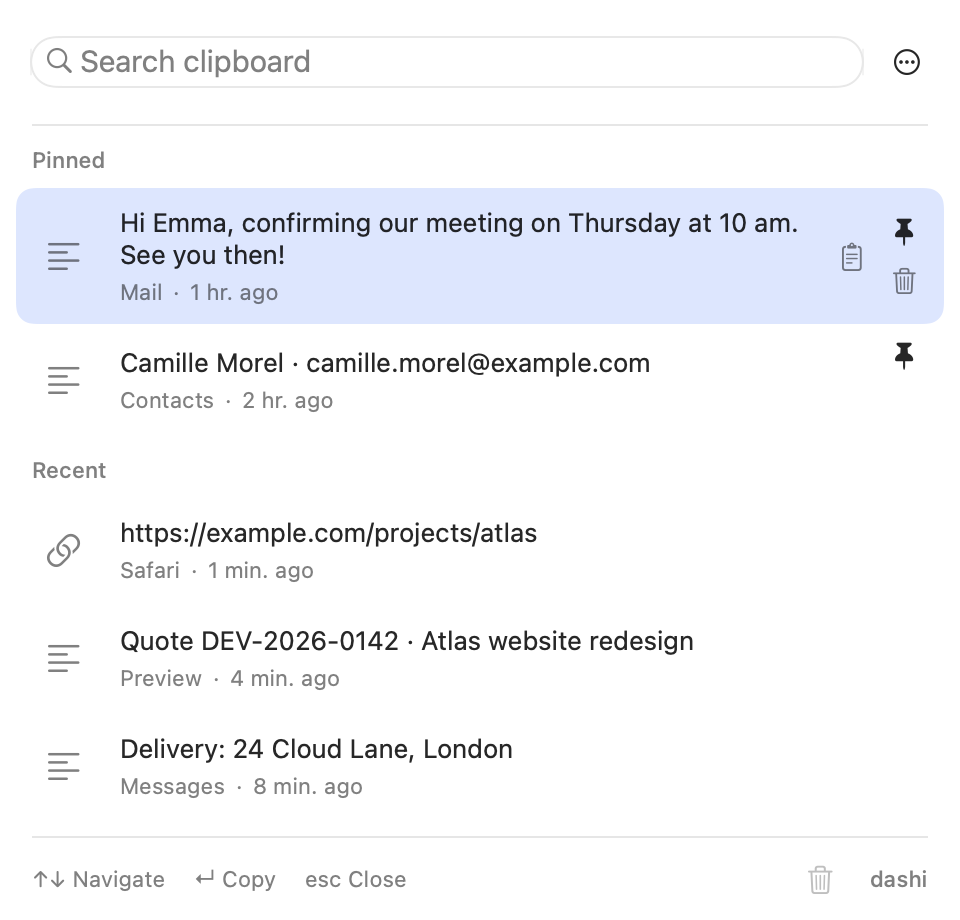
Dashi is useful when you return to copied material throughout the day: a project link, a reply you use regularly or work contact details. Press its default shortcut, ⇧⌘V, search for a distinctive word and choose an item. Return puts the item back on your clipboard. Switch to your app and press ⌘V.
The App Store version does not paste automatically into another app. You remain in control of that final step. Pins separate things you want to keep from ordinary copies that can expire during cleanup.
Example: recover the Atlas project brief
Marc Delcourt shares the brief link. You copy it, then copy an invoice reference for your finance team. Search Dashi for “atlas” to find the recorded link and paste it into the launch task, without returning to Marc’s original message.
This is a fictional example, not a customer endorsement. History bridges the gap between successive copies; a pin keeps an item useful beyond that one conversation.
Why an item may be missing
- The app was not running, or monitoring was paused.
- You had not completed the first-launch protection choice.
- The source app was excluded, or the copy had a recognized confidential marker.
- The history was fully locked, a size limit was exceeded or storage reported an error.
- An unpinned entry expired or was removed during cleanup.
Copies skipped during a pause or full lock are not imported afterwards. Increasing retention later does not bring deleted items back either. A clipboard manager is a record of accepted copies, not an archive of everything that has ever appeared on your Mac.
Is there a Win+V equivalent on Mac?
To find earlier copies on macOS 26, use Spotlight or open Dashi directly with ⇧⌘V. These are two different workflows, rather than the same Windows shortcut on a different keyboard.
In Dashi, Return restores the selected item to your clipboard. Finish with ⌘V in the receiving app. If Dashi’s shortcut conflicts with another tool, change it in settings instead of running several clipboard managers without checking their commands.
What about an older Mac?
The current Dashi app requires macOS 14 or later on an Intel or Apple Silicon Mac. It is not a solution for a Mac running an older release. Check the minimum system version and retention controls before choosing any clipboard tool. Installing one does not recover copies made before it started recording.
A common question
Can installing Dashi recover my old clipboard items?
No. Recording starts after you complete the initial protection choice. If the original text or link is still available elsewhere, copy it again to add it to your history.
Sources and product behavior
Dashi behavior described here applies to the current version for macOS 14 or later. Example people and projects are fictional.